I told the agent not to do the one thing that would have fixed my problem
Where agents belong and where they don't, why hallucinations aren't the real failure mode, and an ESXi 9 certificate mismatch that cost five bring-ups.
This blog talks about the knot Claude and I got into, how I untangled it, how I got into it in the first place, and also a bit of a technical gotcha I learned about ESXi and certificates.
Here’s the short version so the rest makes sense. If you saw my last blog, I basically allowed Claude to build my lab and it did nicely. I mean, I needed to intervene, it’s all written there, but in essence Claude built my lab and VCF 9.1 was completely working. Then I asked it to rebuild the same lab, and it failed five times in a row over three days. The cause turned out to be a rule I had written myself, weeks earlier, back when it was completely correct.
You’d think a rebuild is going to be repeatable, right? Because an agent is like automation, and when I tell it to redo the lab it will just redo it. Coming back now to my other post about agents not being deterministic, it’s not quite that simple.
So let me start with what I think this actually teaches about running agents in a real environment, and then get into the details of what broke.
Hallucinations are not the only way an agent fails you
I want to start here, because I think the industry conversation is stuck on one failure mode.
Everybody worries about hallucinations. Fair enough, they’re real, I’ve written about them before. But nothing hallucinated in this incident. Every fact the agent had was true. The rule it was following was accurate, well-reasoned, and written down by me on purpose. The model never invented anything.
It still failed for three days.
That’s a completely different class of failure, and it’s the one nobody is building tooling for. The agent didn’t get the facts wrong. It got trapped inside a constraint that used to be correct. And here’s what makes it nasty in an enterprise setting: the more disciplined you are about writing rules for your agents, the more of these you will accumulate. Every incident produces a “never do X” rule. Every rule is permanent unless somebody removes it. None of them come with an expiry date, and nothing in your stack knows that the condition which justified rule number 47 stopped being true in March.
So you end up with a policy layer nobody audits, quietly shaping every decision your agents make.
We need a systematic way to manage this. Not a wiki page. Something that treats agent rules the way we treat firewall rules or IAM policies: dated, attributed to the incident that created them, reviewed, and expired when the reason goes away. Right now I’m doing the poor man’s version, which is dating every rule and recording what problem it solved, so a future session can at least ask whether that problem still exists. That’s not a solution. It’s a note to myself.
And notice what I eventually had to do to escape, which I’ll get to below: open a chat with no constraints at all, and step by step untangle the situation from outside. That worked because the outside chat had none of my rules. Which is a slightly uncomfortable thing to write down, because it means my governance layer was also my blindfold, and the only fix was to take it off somewhere else.
Where agents belong, and where they don’t
This whole thing clarified something for me about scoping agentic work in a real environment, and it’s the part I’d bring to a customer conversation.
Agents are good at work with high variability. Lots of unknowns, a wide problem space, many possible paths, no established runbook. That’s exactly where you want to turn an agent loose and let it explore, hypothesize, and iterate. Building this lab the first time was that kind of work. Nobody had a script for my specific hardware, my network, my depot, my nested topology. The agent researched, designed, tried things, and got there. That’s a genuinely good fit and it’s not a demo, it’s real value.
When variability is low and you need high predictability, use a script. If the task is well understood, if you need the same result every time, if you need to know in advance exactly what will happen, an agent is the wrong tool. A script does the same thing every run, and when it fails it fails in the same place with the same message.
And to be clear about what I’m not saying: let the agent write the script. That part is great, it’s genuinely good at it, and it’s usually faster than writing it yourself. Just don’t leave the agent in the loop at run time. Once the procedure is known, the agent adds nothing except the possibility of going sideways, and it will eventually go sideways, because that’s what a non-deterministic loop does when you run it enough times.
The rebuild is exactly where I crossed that line without noticing. First build: high variability, unknown territory, agent is perfect. Rebuild: I wanted determinism. I wanted the same result again. And I reached for the same tool, because it had worked, and because I was thinking of it as automation.
It is not automation. It’s a non-deterministic loop that will find a different path every time, and the second time it found a path that hit a wall I’d built myself.
Remember Jurassic Park? The original one. There’s that scene where Ian Malcolm explains chaos theory to Ellie by putting a drop of water on the back of her hand and watching which way it runs off. Then he does it again in the exact same spot and it goes somewhere completely different, because of the hairs on her hand, the temperature, tiny things nobody is tracking. Same starting conditions as far as anyone can tell, different outcome.
That is exactly what this is. Same prompt, same repo, same hardware, same downloads. Different path. And the second path went somewhere the first one never did.
The practical rule I’d give someone planning this at work: use the agent to discover the procedure, then extract the procedure and run it deterministically. The output of a successful agentic run should be a script, a spec, a set of artifacts. Not a habit of asking the agent to do it again. Discovery and repetition are different jobs and they want different tools.
That’s also, I think, the honest answer to “when do we get self-healing data centers.” We get them when we’re clear that the agent is the thing that figures out what’s wrong in a novel situation, and the deterministic system underneath is the thing that acts. Not the agent improvising on production every time, five hours a cycle, in a loop nobody is watching.
Now let me show you how I learned all that the hard way.
Let’s see how repeatable this is
I did some maintenance in the lab and something broke. So I figured, good, let’s see how repeatable that actually is. Let me rebuild the lab. Tell Claude to rebuild it.
It went and tried to do it. Deleted everything, started recreating, it had all the downloads. It was supposed to go end to end and work perfectly.
What happened, which I wasn’t ready for, is that it failed. Every time it went to the vCenter deployment step it failed in the same place. vCenter got deployed fine, and then it failed to create the datacenter inside of it, and the whole thing rolled back.
Deploy vCenter Appliance
VCF_VSPHERE_VCENTER_INSTALLATION_FAILED
14/313 subtasks (4%)
By the way, it is a very long process until it fails. And I can’t really stop it in the middle because that leaves the hosts unclean, so every time I have to wait for it to clean up instead of just redeploying the host. Every time I’d just let it go and then come back to it, and Claude would tell me that it failed again.
Five times.
The underlying cause, in one line: an ESXi host was reporting one TLS certificate to vCenter while serving a different one on port 443, and the mismatch killed the deployment. There is a whole rabbit hole underneath that sentence, which I’ve put at the end of this post so it doesn’t get in the way. Every time it failed, Claude was trying to fix it by working on getting those certificates aligned across the hosts. And it kept missing the point, because there was something else going on that it structurally could not get to.
The rule I wrote was the bug
Back on July 26, during the original build, we hit a different certificate problem. Claude and I worked out that restarting hostd at the wrong moment triggers a second certificate generation that can see an empty domain. So I had it write a rule into the lab documentation:
“Restart hostd FIRST and let the hostname settle, then generate the cert, then reload the proxy. Nothing after this point may restart hostd.”
That rule was correct. It solved the problem it was written for. And it went into the repo, into the agent’s operating context, and it stayed there.
And it’s exactly what caused three days of failure.
Because “nothing may restart hostd” guaranteed that one of the three places this certificate lives would never re-read from disk. The fix repaired two layers out of three and permanently froze the one nobody could see. The fix was the bug.
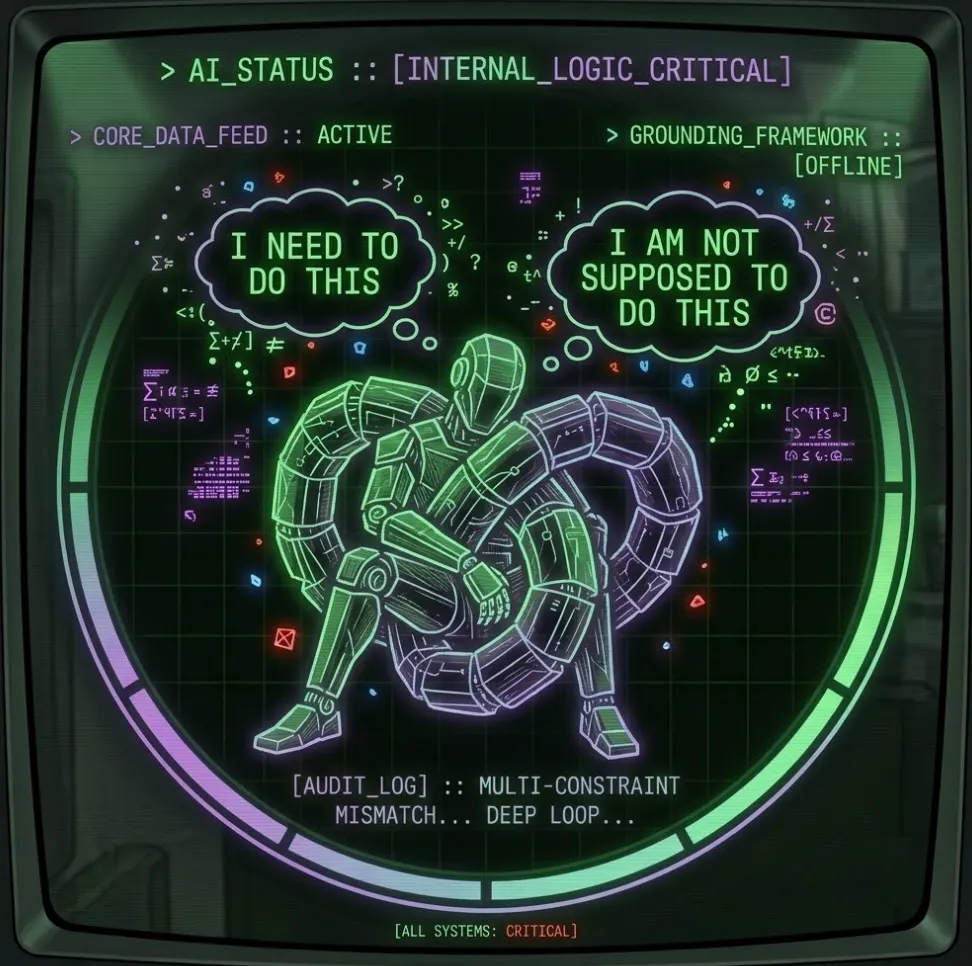
Now think about what that does to an agent. Claude is trying to solve a certificate mismatch. It has, sitting in its context, a rule from me saying do not touch hostd. So it cannot reach the actual fix, because the actual fix is the one thing it’s been told not to do. So it works the problem from every other angle instead, and there are a lot of other angles, and every single one of them costs a multi-hour deployment cycle.
It rebuilt all four hosts from scratch. Redeployed the installer. Reconfigured the depot. Wiped and reclaimed the vSAN disks. Changed hostnames, changed IPs, regenerated certificates by hand, swapped which host bootstraps, tried three hosts instead of four. Every one of those eliminated a hypothesis and not one of them fixed anything, because the fix was behind a door I had locked myself and then completely forgotten about.
That’s the pretzel. And it isn’t that the agent is dumb, this is Fable, mind you, the best of the best. It’s that an agent running in a long loop accumulates context, and some of that context is instructions from a past version of the problem. Something I decided in the past, for perfectly good reasons, at a moment when it was completely correct, is now the thing preventing the fix. And go figure that out from all the history of everything that happened.
And I couldn’t see it either, because I was inside the same loop. I’d been reading the same logs and agreeing with the same reasoning for two days.
How I got out of it
First thing I did was tell it to stop. Just stop. No more cycles.
Then I went and opened another chat. This time it’s not Claude Code, it’s not an agent, it’s just a chat. And I put that chat on Fable, because now I’ve got an external advisor. Again, same brain, but different software, without all the backend context that had been pulling the first one down.
Then I started copy-pasting the logs and the outputs from my Claude Code agent into that chat, and telling it what was going on. It would give me an action, I’d take that action back to Claude Code, have it run, pause, and bring the output back. Slowly by slowly I’m tackling the problem this way.
And after a few rounds it figured it out. It said, essentially, stop looking at disk and wire, they agree with each other and that’s exactly why you keep finding nothing. There’s a third place this certificate lives, hostd holds it in memory, there’s no CLI for it, and here’s the API property to read it with.
Then it validated it step by step rather than just asserting it, and told me what would happen when we applied the fix: the reported layer is the only thing that will move, disk and wire won’t change at all.
Which is exactly what happened, one host at a time:
| Host | reported before | reported after |
|---|---|---|
| n-esxi-11 | n-esxi-11. @11:36:12 | n-esxi-11.lab.niran.ai @11:36:18 |
| n-esxi-12 | n-esxi-12. @11:36:07 | n-esxi-12.lab.niran.ai @11:36:11 |
| n-esxi-13 | n-esxi-13. @11:36:10 | n-esxi-13.lab.niran.ai @11:36:16 |
| n-esxi-14 | n-esxi-14. @11:36:17 | n-esxi-14.lab.niran.ai @11:36:21 |
The next deployment cleared the vCenter step with zero errors and moved on. And the funny thing is that from the outside it looks like the same behavior as before, it’s just that we added this one extra step and now it works.
So what did we learn from this
One, match the tool to the variability of the work. High variability and lots of unknowns is agent territory and it’s where they earn their keep. Low variability with a need for predictable, repeatable results is script territory. Have the agent write the script, then run the script, not the agent. I broke my own rule here without noticing, and it cost me three days.
Two, hallucinations are not your only problem. Nothing was hallucinated in this incident. The agent failed because of a rule I wrote, which was correct when I wrote it and wrong by the time it mattered. If you’re deploying agents into infrastructure at any scale, you need a systematic way to monitor and manage the constraints you give them, because those constraints are permanent policy and they accumulate silently. Nobody has good tooling for this yet.
Three, sometimes you need to untangle it from outside. The way to do that is to bring in an external system, whether that’s your own brain, or your own brain powered by a separate chat, or a different AI entirely. What’s interesting to me is that it wasn’t a smarter model that solved this. It was the same model with less history. The agent in the loop couldn’t see the loop.
Four, you have to be careful with ESXi host certificates. There are new places certificates go to now. I didn’t know Envoy had one and that Envoy is running on ESXi in the first place, and I definitely didn’t know hostd holds its own copy in memory that you can’t see from the command line. Details below.
I’d rather learn this in a lab than in production. That’s what the lab is for.
The technical part: an ESXi 9 certificate thumbprint mismatch you cannot find on disk
This is the bowels of the ESXi certificate plumbing, kept out of the main story on purpose. If you run nested ESXi, this is the part that might save you three days one day.
The error, buried two tarballs deep in a support bundle, on a step whose name mentions datacenters and not certificates:
Fingerprints did not match.
  Expected "654fbb0929d6b3fc49708b25c9bef57067ec027d",
  got      "ce1c0d5fb94f757c6505296c97c41dee30a37ca8"
Now the thing is, ce1c0d5f was correct. That was the certificate on disk, and it was the certificate being served on port 443, and I verified those two matched on all four hosts right before submitting the run that then failed anyway.
So where does 654fbb09 come from? Nowhere. Genuinely nowhere. Not in rui.crt, not in castore.pem, not in any file matching .crt or .pem, not in any file containing BEGIN CERTIFICATE at all, not in the ConfigStore, not on the vCenter appliance, not on the installer, not on the physical host, not on the router. Not in the installer’s database dumps either, and we searched those in six different encodings.
A value that governs the whole deployment, matches no certificate that exists, and is configured by nothing.
Here’s the answer.
There are three certificate layers on ESXi 9, not two.
| Layer | Where it lives | How to read it | Reloaded by |
|---|---|---|---|
| disk | /etc/vmware/ssl/rui.crt | openssl x509 -in ... | nothing |
| wire | what port 443 serves | openssl s_client -connect host:443 | rhttpproxy restart |
| hostd | in memory | API only | hostd restart |
I knew about the first two. I’d even written the second one into my own gotchas file, because on ESXi 9 port 443 is terminated by Envoy, and Envoy caches the certificate independently of what’s on disk. Restarting hostd doesn’t reload it, you need rhttpproxy restart for that.
The third layer is the one that got me. It’s invisible from the host’s own command line. There’s no esxcli for it. esxcli system security certificatestore only does CA certificates. configstorecli has no certificate component. summary.config.sslThumbprint is unset on a standalone host. Port 902 isn’t plain TLS. The only way to see it is one vSphere API property:
host.configManager.certificateManager.certificateInfoAnd when I finally read it, all four hosts looked like this:
hostd reports : CN=n-esxi-11.              notBefore 11:36:12
disk + wire   : CN=n-esxi-11.lab.niran.ai  notBefore 11:36:18
Two certificates, generated six seconds apart during firstboot. The files and the wire got the good one. hostd kept the first one, the malformed one with the short name and the trailing dot and no domain, and it kept reporting that to vCenter forever.
And that’s the whole failure. vCenter pins the thumbprint that hostd reports. Then the file transfer during deployment validates against what Envoy actually serves. Different certificates, the check fails, datacenter creation dies, and the error message names neither hostd nor a certificate.
It also explains the thing that confused me the most, which is that the phantom thumbprint was stable for a host’s whole lifetime and only changed when I rebuilt the host. Of course it did. It was that host instance’s install-time certificate sitting in memory, surviving every deployment attempt, and dying only when the host died.
Correct order in firstboot:
/sbin/generate-certificates
sleep 5
/etc/init.d/hostd restart        # layer 3 re-reads from disk
sleep 20
/etc/init.d/rhttpproxy restart   # layer 2, last
sleep 5
# then verify served == disk
Restarting hostd is what makes layer three re-read. Doing it before generation, which was my old rule, leaves it stale forever.
Verification, if you hit this. All three have to agree:
# layer 1, disk
openssl x509 -in /etc/vmware/ssl/rui.crt -noout -fingerprint -sha1 -subject
# layer 2, wire
echo | openssl s_client -connect <host>:443 2>/dev/null \
  | openssl x509 -noout -fingerprint -sha1 -subject
# layer 3, hostd's in-memory identity (API only, no CLI exists)
python -c "
from pyVim.connect import SmartConnect
import ssl
si = SmartConnect(host='<host>', user='root', pwd='<pw>',
                  sslContext=ssl._create_unverified_context())
h = si.content.rootFolder.childEntity[0].hostFolder.childEntity[0].host[0]
print(h.configManager.certificateManager.certificateInfo)"
If layer 3 disagrees: hostd restart, then rhttpproxy restart, in that order.