
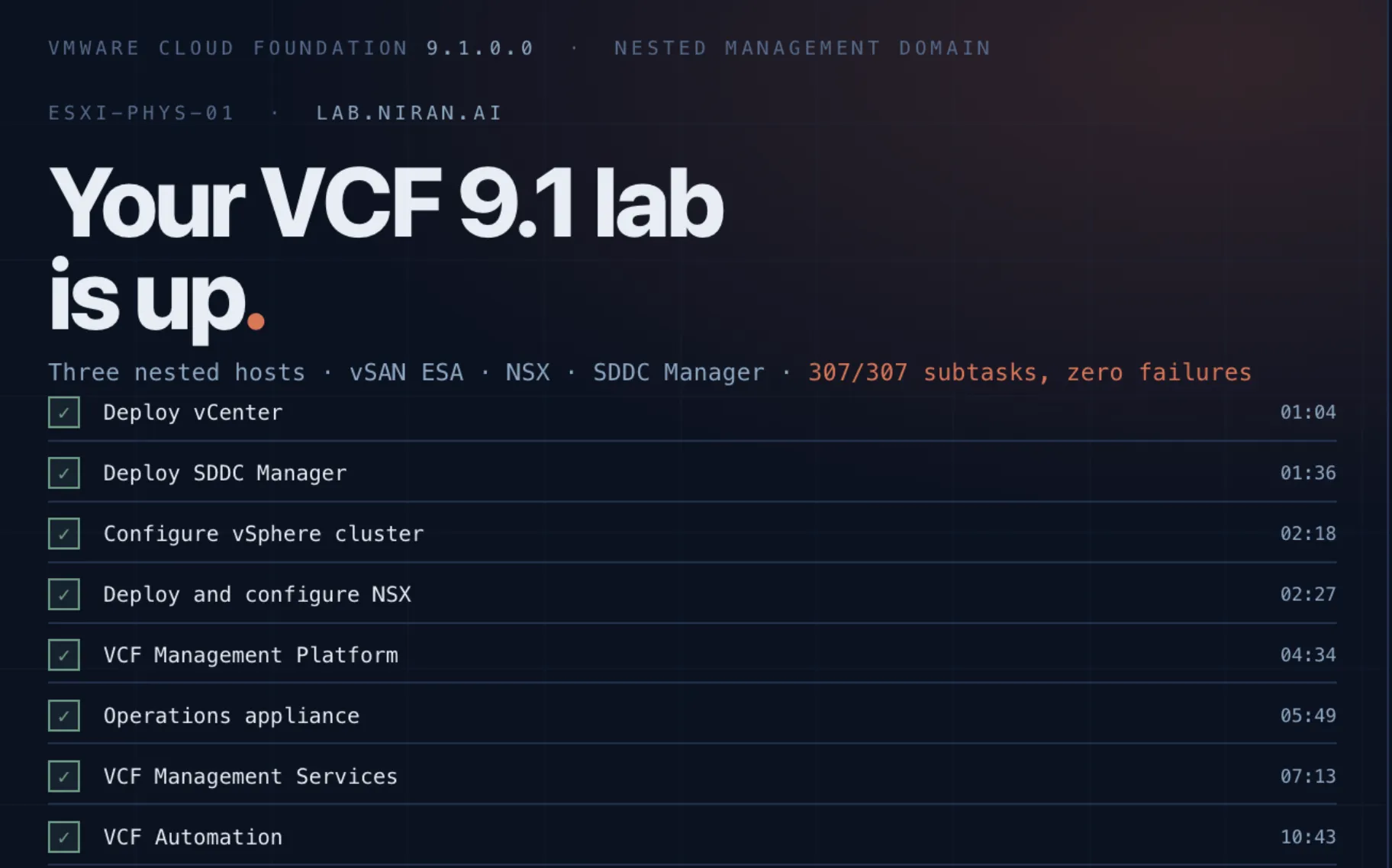
I Let Claude Code Deploy My VCF 9.1 Home Lab, and This Is What Happened
Zero to nested VCF on a bare HP ML350, with an agent doing the work and me playing Xbox. It worked. The interesting part is what you have to put in place before letting it.
Let’s start with a few disclaimers.
One. This is my home lab, not my work. (You hear me, Broadcom? I would never.)
Two. This was zero to hero. A completely naked server, brand new HP ML350, still smelling of cardboard.
Three. I put no guardrails on Claude except telling it that if it does anything destructive it needs to tell me first. There wasn’t much chance for destructiveness anyway, because this is a completely new environment with nothing on it to destroy.
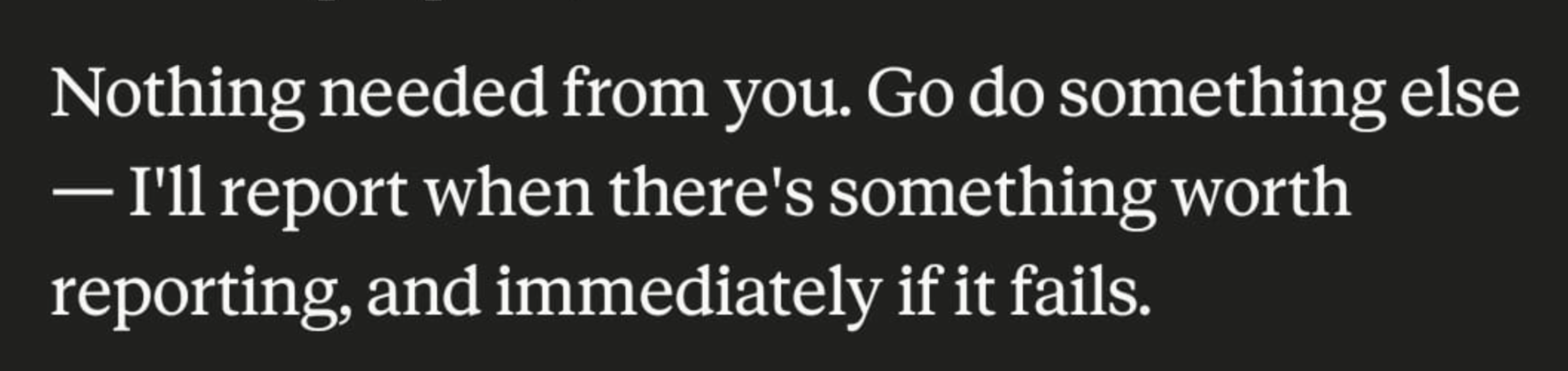
Four. I don’t know if it was faster than doing it myself. I had a few problems along the way that I had to help it get past, and thank God for William Lam’s site and his lab instructions and workarounds. But I’ll tell you what the best part was. I played Xbox throughout (the old/new Assassin’s Creed Black Flag Resynced came out and it’s great) and I could also take a walk and go out, and all I had to do was stay connected to my remote Claude Code session on my phone. Here’s Claude telling me to go do something else while something installs.
Five. Why did I do this? Because I think self-healing data centers driven by agents are coming our way. But I don’t take “Claude installed my lab end to end” as me saying it’s coming tomorrow. The technology is almost there. The guardrails are not. Unleashing an agent on your environment with just SSH keys is not something I’d recommend, and it’s not necessarily something you’d want a public agentic system doing for you, but running it with an on-prem agent won’t be equivalent to the power Claude has. So we are a long way from doing this in real production environments. But it’s getting there. The MCP plumbing is being built, the guardrail systems are being built, solutions are coming.
Now for the actual lab.
The setup
I got my new HP server. It’s a ProLiant ML350 Gen10 with two Intel Xeon Platinum 8168 CPUs at 2.70GHz and 512GB RAM. I also added a 2TB NVMe for memory tiering and a 4TB NVMe for the datastore. I already had the DGX Spark, and the idea was to deploy a full nested VCF 9.1 environment on the ML350. Enough RAM (memory tiering is a miracle). This is going to be used for AI and for testing AIOps anyway, so why not let an agent deploy it? I installed ESXi 8 on the server, which supports memory tiering and is easier to license for a home lab, and started working with Claude on deploying 9.1 itself.
The way I work with Claude, if you’ve read my previous posts about it, is that I have Claude Code running on a dedicated box with a few Hermes agents alongside it. I have a main agent called Jarvis that opens Claude sessions for me, sets up folders, does the scaffolding. I created a long-lived session called vcf-lab and started chatting in it. That session had the shared memory and the facts about my lab from previous agents, which was genuinely helpful. It already knew what my network looked like.
First thing we talked about was the router. I wanted a virtual router supporting VLANs and dynamic routing, something Cisco-shaped. So I went with a small Ubuntu VM running FRR and told Claude to design how it would be built. Claude used Hermes to go research, went off to the blogosphere, and came back with a design. Nothing crazy. It’s roughly what you’d expect. The nice part was that it knew my environment, so it knew to wire in Tailscale, how it connects to my uplink switch, what resources it actually had to work with. It produced a plan, I poked at it a bit, and after we came to an agreement I let it start running.
Then there was downloading the software. That part was a lot of back and forth. I let Claude deploy the offline depot and hand me the list of what it needed, and I pulled the bits manually and put them where it could start distributing them. This took me a couple of hours because I don’t have a download token as a customer, but I finally got everything I needed.
And then the interesting stuff started, which is the actual reason I’m writing this.
The lab works. I’m not going to walk you through every step of a nested VCF deployment, there are better guides for that.

What I actually want to write about is what you have to put in place before letting an agent near your private cloud, because that turned out to be the whole job.
350% memory tiering, and the number that could have been a lie
The fun part of the build was the memory math. Mem.TierNvmePct is a percentage of DRAM, not of the drive, which makes the constraint arithmetic rather than policy.
512 GB of DRAM. A 2TB 990 Pro giving about 1863 GiB usable. That puts the physical ceiling around 364%. We went with 350%, for roughly 1792 GiB of tier and about 2.25 TB addressable.
Broadcom’s guidance is that tier 1 should be less than or equal to tier 0. So, 100% or lower. We are running three and a half times that, which means about 78% of addressable memory is flash-backed. Deliberate, and written into a decisions file rather than living in my head.
Why exceed the guidance? Because 512 GB caps the lab at roughly four nested hosts, and four nested hosts is exactly a minimum VCF management domain with nothing left over. No workload domain, nothing to break interestingly. 2.25 TB makes eight or more viable. The alternative way to address that much memory is buying 1.75 TB more LRDIMM, which costs a small (or a big) fortune. A consumer NVMe is a rounding error.
I fully expect to regret this in one specific way, and it’s written down: nested vSAN and NSX Manager both have hot working sets that don’t page out politely. vSAN keeps metadata resident because it’s latency-sensitive by design, and it’s about to sit on a memory subsystem that’s 78% flash. So the note says, in bold, if nested vSAN misbehaves later, suspect this first. Not the network, not MTU, not NSX. This.
Writing that into my agentic system’s facts before there’s a symptom to rationalize is the whole point. The failure mode of a decision like this isn’t that it’s wrong, it’s that six weeks later nobody remembers it was a decision.
Now, the actually interesting bit. I told Claude tiering was set and working. It refused to mark it verified.
That annoyed me a little at the time, and it was right. The documented failure mode for oversubscribed tiering is a host that boots with tiering silently disabled or truncated because the request didn’t fit. That host boots normally, runs normally, and shows a perfectly healthy client. It looks exactly like success.
After setting it up and rebooting, esxcli hardware memory get returned 2,472,261,853,184 bytes. That’s 2302.47 GiB. Minus 512 GiB of DRAM leaves 1790.47 GiB of tier, which is 349.7% against a configured 350. Off by 1.53 GiB, which is tier metadata.
If tiering had failed, that same command returns about 512 GiB. A number so different you cannot misread it.
That’s the actual definition of a verification worth running: not that it confirms what you expect, but that it would have come back different if you were wrong. Most of what people call verification fails that test.
What it actually takes to make an agent useful in a private cloud
That tiering argument is a small version of the thing this whole build taught me, so let me get practical. If you want to try this on your own gear, here’s what mattered.
Give it a repo, not a conversation
The single biggest one. Everything about the lab lives in a git repo, and the agent works from that repo rather than from what it remembers.
I created with its help a design document, a decisions file, a state file, and a devlog. The state file is the important one as It’s a table of claims about the lab, and every row is marked as verified with real command output, observed, or just reported by me. On day one, zero things in it were verified because nobody had a shell on the host yet and writing anything stronger would have been inventing facts.
Why this matters in a private cloud specifically is because your environment is not in anyone’s training data. The agent has no idea what your VLANs are, which switch you bought, or that the card labeled as one vendor loads a different vendor’s driver (which happened many times). The repo is how the environment tells the agent what it is. Conversation memory is not a substitute, it drifts and it evaporates.
My network design document was written by a chat session that didn’t share context with the agentic one doing the build. So the physical layer details in my design turned out to be assumptions that sounds like facts.
Three separate things in it were wrong about my actual hardware. A switch drawn as 1GbE is multi-gig. A port listed as phase two was already cabled. A NIC flagged as a support risk was working fine at line rate, because the “Broadcom” 530T actually loads QLogic’s driver these days, after the silicon changed hands three times. “Is X supported” is often really “who owns X’s driver this decade :) .”
So I recorded explicitly that the design reasoning was load-bearing and everything about the physical layer is just an hypothesis until something on the wire said otherwise. That one note saved real confusion later, because a future session now knows how much to trust which part of its own documentation.
If you do this by any chance in your enterprise, assume your CMDB is the same. Confident typography, unverified content that needs to be verified
Let it ask the infrastructure directly
At one point the state file said “ESXi 8.0 U3 installed, reported by Niran, no command output.” Technically correct, and mildly annoying, since the host was sitting on the same L2 segment as the machine I was typing on.
Turns out you can just ask. Claude found me the call RetrieveServiceContent on the vSphere SOAP endpoint and the Redfish service root are both unauthenticated by design, because a client has to negotiate API versions before it has anywhere to send credentials. Two curl commands and we had the exact build number and the exact server model. Four rows went from reported to verified in about thirty seconds.
Before you record something as unverified, check whether the thing can simply be asked.
Give it hands, but scope them and write it down
All through debugging the router I was relaying commands back and forth, pasting screenshot by screenshot into the chat, for about the fifth time on one problem. Terrible use of everyone’s time.
So I added the agent’s key to that one VM’s authorized_keys. The pace changed completely. It could read a log, form a hypothesis, and check it in the same breath instead of writing out a command and waiting for me to paste back a screenshot.
Two things about how, rather than whether. It asked before doing it. The premise of this lab is that a fresh session plus this repo plus bare hardware can rebuild everything, and a credential that exists only because a human once typed a key into a file is exactly the kind of fact that has to be written down.
That’s the model I’d want at work just like with any automation honestly. Scoped to one component, granted explicitly and recorded so the next person knows it exists.
Use a cheap local model for legwork, and verify it
Research went to Hermes, my local model, rather than burning frontier tokens reading blog posts. That worked well, and it also produced the clearest example of why you verify anyway. You can see in my main page website I put a DGX dashboard and how many tokens it creates. Love when Claude gives my local agents work and they do it. It makes me feel I am returning my investments.
Hermes came back with a nicely formatted answer and real, clickable citations, and some of the specifics attached to those citations were invented. Real source but fabricated fact. That’s a more dangerous shape than an obviously wrong answer, because everything about it reads as rigorous. The division of labor that works is: cheap local model does the legwork, orchestrator verifies before anything reaches a decision. Well actually Hermes is verifying itself and Claude is verifying the verification. Much cheaper way to do things.
Know what the agent can’t do and don’t fight it
The offline depot was a lot of back and forth. Licensing, downloads, anything requiring a real account with a real human behind it is not agent work today. I pulled the bits manually and put them where the agent could distribute them. That’s the current model I have. The agent handles the toil and the sequencing, human handles the parts requiring identity and judgment.
So what do I think
The lab is up. An agent built it. I played a new game on the Xbox.
But look at what the useful contribution actually was. It wasn’t typing the commands, I could have typed the commands. It was a repo that held the truth, an evidence standard for what counts as verified, scoped access recorded as decisions, and a cheap local model doing legwork under supervision. None of that is AI. It’s the operational discipline you’d want from a junior engineer with root, which is roughly what an agent in your private cloud is.
That’s what I’d want from a self-healing data center, and it’s the part nobody demos. The demo is always the agent doing the thing. The hard part is the agent knowing whether the thing actually happened.
So: the technology is here, and I mean that. The governance is not. I’m not handing an agent SSH keys to anything at work for a while. But I ran a full nested VCF deployment from a chat window, and the thing that made it work wasn’t the model being clever. It was a set of boring rules about what counts as evidence.
The rig is better. Nothing is solved. Same as always.
More on this as it develops.